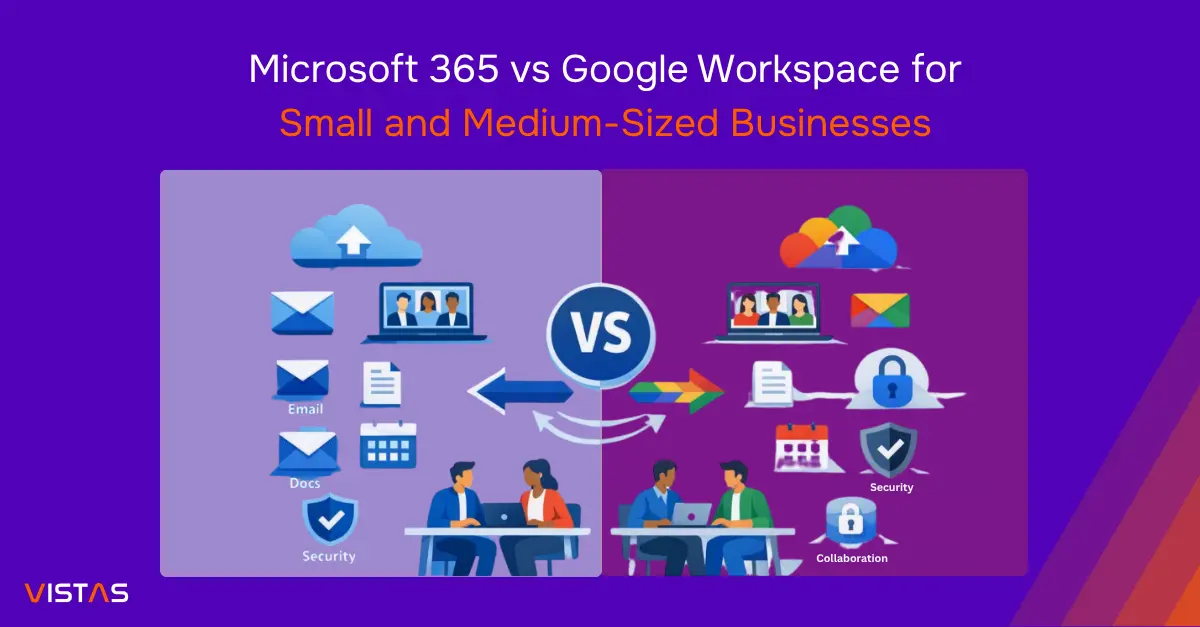
Microsoft 365 vs Google Workspace for Small and Medium-Sized Businesses
For many small and medium-sized businesses (SMBs) that need one productivity platform for email, documents, spreadsheets, meetings, file storage, security, and administration, Microsoft 365 is often the stronger overall choice. It combines familiar Office applications such as Word, Excel, PowerPoint, Outlook, and Teams with services including OneDrive, SharePoint, and a broad Microsoft cloud ecosystem.
Google Workspace remains a strong option for teams that prefer Gmail, Google Drive, and browser-first collaboration. However, Microsoft 365 may provide a better long-term fit for SMBs that prioritize productivity depth, Microsoft Office compatibility, structured document management, security, administration, and scalability.
That does not mean Google Workspace is the wrong choice. SMBs should look beyond basic email and file sharing when choosing a productivity platform. If your business depends on Office file compatibility, advanced spreadsheets, Outlook workflows, Teams collaboration, structured document management, or Microsoft security and identity capabilities, Microsoft 365 deserves serious consideration.
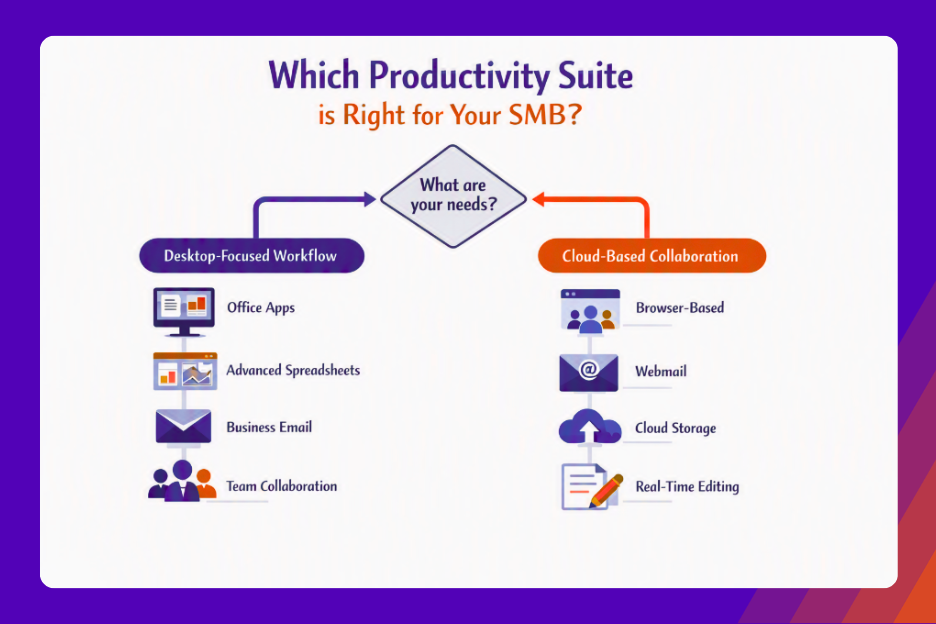
Microsoft 365 may be a better fit for SMBs that rely on Microsoft Office applications, desktop productivity, Excel-heavy workflows, or Outlook-based communication. Google Workspace may be the better choice for teams that prefer browser-based applications, real-time collaboration, and a cloud-first way of working.
This guide compares Microsoft 365 and Google Workspace across features, pricing considerations, collaboration, security, administration, ease of use, migration planning, and common SMB requirements.
Quick Summary
Category | Microsoft 365 | Google Workspace |
Business email | Outlook | Gmail |
Word processing | Microsoft Word | Google Docs |
Spreadsheets | Microsoft Excel | Google Sheets |
Presentations | PowerPoint | Google Slides |
Video meetings | Microsoft Teams | Google Meet |
Cloud storage | OneDrive | Google Drive |
Team collaboration | Teams & SharePoint | Drive, Chat & Meet |
Desktop applications | Strong | More limited compared with Microsoft Office |
Browser collaboration | Strong | Excellent |
Advanced spreadsheets | Excellent | Good |
Best suited for | Office-centric businesses | Cloud-first businesses |
Quick answer: Microsoft 365 is often the best overall choice for SMBs that want a broad productivity, collaboration, security, and administration platform. Google Workspace is a strong alternative for businesses that are already committed to Gmail and cloud-first browser workflows.
Pro Tip: Do not choose a productivity platform based only on the lowest subscription price. Choose the platform that best supports how your employee’s work.
Microsoft 365 vs Google Workspace: What SMBs Need to Know
Microsoft 365 and Google Workspace solve many of the same business problems, but their ecosystems and workflows are different.
What Is Microsoft 365?
Microsoft 365 is Microsoft’s subscription-based productivity and cloud services platform.
Depending on the plan, businesses can access applications and services such as:
- Microsoft Word
- Microsoft Excel
- Microsoft PowerPoint
- Outlook
- Microsoft Teams
- OneDrive
- SharePoint
- Exchange Online
- Microsoft Entra services
- Microsoft security and management capabilities
Microsoft 365 can be particularly useful for organizations that already rely on Microsoft Office.
For example, an accounting firm may use Excel for financial analysis, Word for reports and contracts, Outlook for business email, and Teams for meetings and internal communication.
Because these applications are part of the same ecosystem, businesses can build workflows around familiar tools.
What Is Google Workspace?
Google Workspace is Google’s cloud-based productivity and collaboration platform.
Its core applications include:
- Gmail
- Google Drive
- Google Docs
- Google Sheets
- Google Slides
- Google Meet
- Google Calendar
- Google Chat
- Google Forms
Google Workspace is designed around a cloud-first, browser-based experience.
For example, a marketing team can create a Google Doc, share it with colleagues, collaborate in real time, and discuss changes without managing multiple versions of the same file.
The Key Difference Between Microsoft 365 and Google Workspace
The main difference is not simply the number of applications available. It is how your team works with those applications.
Microsoft 365 stands out because it supports both modern cloud collaboration and full-featured desktop productivity. That combination is particularly valuable for SMBs that need employees to work online, offline, in the browser, and in traditional Office applications without changing how they create business-critical files.
Google Workspace is strongest for browser-based collaboration and simple cloud-first workflows. However, businesses that need deeper spreadsheet functionality, desktop Office compatibility, advanced document formatting, or tighter integration with Microsoft-based systems may find Microsoft 365 more practical as they grow.
Business Requirement | Potentially Better Fit |
Advanced Excel workflows | Microsoft 365 |
Word and PowerPoint | Microsoft 365 |
Outlook-based workflow | Microsoft 365 |
Gmail-based workflow | Google Workspace |
Browser-based collaboration | Google Workspace |
Microsoft Office compatibility | Microsoft 365 |
Cloud-first teams | Google Workspace |
These are general guidelines, not strict rules. For SMBs with mixed needs across email, Office documents, spreadsheets, collaboration, security, and administration, Microsoft 365 is often the more complete business platform.
Microsoft 365 vs Google Workspace Pricing for SMBs
Pricing matters for SMBs but comparing only the advertised monthly subscription price can be misleading.
Both Microsoft and Google offer multiple plans with different levels of storage, productivity applications, security, administration, and other capabilities. Pricing can also vary based on region, billing terms, taxes, and available offers.
Businesses should verify current pricing directly with the vendors before making a purchasing decision.
Microsoft 365 Plans
Common Microsoft 365 business plans include:
- Microsoft 365 Business Basic
- Microsoft 365 Business Standard
- Microsoft 365 Business Premium
Business Basic generally focuses on cloud services, business email, storage, and web and mobile versions of Office applications.
Business Standard adds desktop versions of Office applications.
Business Premium includes additional security and device-management capabilities.
The exact features available depend on the subscription and Microsoft’s current plan structure.
Google Workspace Plans
Google Workspace also offers multiple business editions. Depending on the plan, organizations may receive different levels of:
- Cloud storage
- Business email
- Video meetings
- Security
- Administration
- Collaboration features
- AI-related capabilities
When comparing plans, businesses should compare equivalent features rather than relying only on the plan names.
Compare the Total Cost
A realistic cost comparison should include more than monthly licensing.
Consider:
- Subscription costs
- Migration
- Employee training
- IT support
- Security configuration
- Backup and recovery
- Administration
- Third-party applications
- Potential productivity changes
A lower subscription price may not reduce total cost if your team loses productivity, requires additional training, encounters file compatibility issues, or needs additional tools to replace capabilities available in the selected platform.
Pro Tip: Compare the total cost of ownership rather than choosing based solely on the lowest advertised price.
Current Pricing Sources
Always verify current pricing using official vendor sources:
Features and Productivity Tools
Both platforms provide the productivity tools most SMBs need. Microsoft 365 has an advantage when a business needs deeper application functionality, desktop Office applications, advanced spreadsheets, Outlook email workflows, Teams collaboration, SharePoint document management, and Microsoft security integration.
Google Workspace performs well for browser-first collaboration and cloud-based workflows.
Microsoft 365 Features
Microsoft 365 includes widely used productivity applications.
Microsoft Word is designed for reports, proposals, contracts, and other business documents.
Microsoft Excel is particularly useful for financial analysis, complex spreadsheets, reporting, data management, forecasting, and other advanced spreadsheet tasks.
PowerPoint supports presentations, sales proposals, training materials, and internal meetings.
Outlook combines business email, calendars, contacts, and scheduling.
Microsoft Teams provides messaging, meetings, and collaboration features.
OneDrive provides cloud file storage, while SharePoint supports organizational document management, team sites, and collaboration.
This environment can be particularly convenient for businesses already familiar with Microsoft Office.
Google Workspace Features
Google Workspace provides a cloud-first alternative:
- Gmail provides business email.
- Google Drive provides cloud storage and file sharing.
- Google Docs supports document creation and real-time collaboration.
- Google Sheets provides spreadsheet functionality.
- Google Slides supports presentations.
- Google Meet provides video conferencing.
- Google Calendar supports scheduling and shared calendars.
- Google Chat provides team messaging.
Which Has Better Productivity Tools?
It depends on your requirements.
Microsoft Excel generally provides deeper functionality for advanced spreadsheet work, while Google Docs and Sheets provide a convenient browser-based collaboration experience.
For many SMBs, Microsoft 365 can be the stronger choice because it supports familiar Office workflows while also providing cloud collaboration through Teams, OneDrive, SharePoint, and web-based Office applications.
Microsoft 365 and Google Workspace Feature Comparison
Feature | Microsoft 365 | Google Workspace |
Word processing | Word | Docs |
Spreadsheets | Excel | Sheets |
Presentations | PowerPoint | Slides |
Outlook | Gmail | |
Cloud storage | OneDrive | Drive |
Video meetings | Teams | Meet |
Calendar | Outlook | Google Calendar |
Team collaboration | Teams / SharePoint | Drive / Chat / Meet |
Desktop applications | Strong | More limited |
Real-time collaboration | Strong | Excellent |
Collaboration and Remote Work
Collaboration is essential for many SMBs, especially teams with remote, hybrid, or multi-location employees.
Both Microsoft 365 and Google Workspace support distributed teams. Microsoft 365 can be particularly useful for SMBs that want collaboration to connect directly with Outlook calendars, Teams meetings, OneDrive files, SharePoint sites, Word documents, Excel workbooks, and PowerPoint presentations.
Microsoft Teams
Microsoft Teams brings messaging, meetings, file collaboration, and workplace communication into one environment.
Employees can use Teams for:
- Instant messaging
- Video meetings
- Team channels
- File collaboration
- Internal communication
- Calendar integration
Teams work closely with Microsoft 365 applications and services.
For businesses already using Outlook, SharePoint, OneDrive, Word, and Excel, Teams can provide a centralized collaboration environment.
Google Meet and Chat
Google Meet provides video meetings, while Google Chat supports team messaging.
Both are closely integrated with Gmail and Google Calendar. Employees can schedule a meeting through Calendar, join through Meet, and collaborate on files stored in Google Drive.
Real-Time Collaboration
Google Workspace has a strong reputation for browser-based, real-time collaboration. Multiple users can work on the same Google Docs, Sheets, or Slides file simultaneously.
Microsoft 365 also supports real-time collaboration through its cloud applications.
The decision should therefore not be based simply on whether collaboration is available. Instead, consider which workflow is most natural for your team and how well it integrates with your existing tools.
Remote Team Example
Consider a 20-person consulting company with employees working from different cities.
The company needs:
- Business email
- Shared files
- Video meetings
- Calendars
- Presentations
- Document collaboration
Either platform can support these requirements.
If employees already use Gmail and Google Drive, Google Workspace may require less adjustment.
If they already depend on Outlook and Microsoft Office, Microsoft 365 may provide a more familiar workflow.
Security and Administration
Security should be considered alongside productivity and collaboration when choosing a business platform.
Microsoft 365 Security
Depending on the subscription, Microsoft provides capabilities involving:
- Multi-factor authentication
- Identity management
- Device management
- Access controls
- Threat protection
- Data protection
- Security monitoring
- Compliance capabilities
Microsoft Entra provides identity and access management capabilities, while Microsoft Defender products provide additional security capabilities depending on licensing.
Google Workspace Security
Google Workspace also provides security and administration controls. Depending on the edition, organizations can configure:
- Two-step verification
- Access policies
- Device management
- Security settings
- Audit capabilities
- Data controls
- Administrative policies
Platform Security Is Not Enough
A secure productivity platform does not automatically make business secure.
Configuration, user behavior, access policies, device security, and ongoing administration all matter.
For example, failing to enable multi-factor authentication can increase the risk of account compromise. Poor file-sharing policies can also expose confidential business information.
Essential Security Checklist
Every SMB should consider these baseline security practices:
- Enable multi-factor authentication.
- Use strong passwords and appropriate authentication controls.
- Remove former employees’ access promptly.
- Review administrator accounts regularly.
- Apply least-privilege access.
- Secure company devices.
- Control external file sharing.
- Train employees to recognize phishing attempts.
- Monitor suspicious activity.
- Maintain appropriate recovery procedures.
Warning: Neither Microsoft 365 nor Google Workspace should be treated as a complete replacement for cybersecurity planning and ongoing security management.
Which Is Better for SMBs?
If your company has a balanced mix of communication, document creation, spreadsheet work, presentations, meetings, file storage, identity, security, and administration needs, Microsoft 365 is often the stronger default choice.
Google Workspace can still be an excellent fit for organizations that are deeply committed to Gmail, Google Drive, and browser-based collaboration.
Microsoft 365 Is Usually the Better Fit If You:
- Depend heavily on Excel.
- Need desktop Office applications.
- Use Outlook extensively.
- Create Word documents frequently.
- Build PowerPoint presentations.
- Already use Microsoft services.
- Need advanced administration and device-management capabilities.
- Want a broad Microsoft ecosystem.
Google Workspace May Be Better If You:
- Prefer browser-based applications.
- Already use Gmail.
- Work heavily with Google Drive.
- Collaborate frequently on documents.
- Operate a cloud-first or remote-first business.
- Prefer simple browser-based workflows.
- Already use Google services extensively.
Industry Examples
Business Type | Potentially Suitable Platform |
Accounting firm | |
Legal firm | Microsoft 365 |
Traditional office | Microsoft 365 |
Financial business | Microsoft 365 |
Digital marketing agency | Google Workspace |
Startup | Either |
Consulting firm | Either |
Remote-first company | Either |
Creative agency | Google Workspace or Microsoft 365 |
These recommendations are not absolute.
For example, a marketing agency may prefer Microsoft 365 if it relies heavily on Excel and PowerPoint. Likewise, an accounting firm with an entirely cloud-based workflow may find Google Workspace suitable.
The number of employees does not determine the best platform. Business workflow does.
Microsoft 365 Business Basic vs Google Workspace
Microsoft 365 Business Basic is a common consideration for smaller organizations because it combines business email, cloud storage, and web and mobile versions of Office applications.
Google Workspace similarly combines Gmail, Drive, Docs, Sheets, Meet, and other cloud-based services.
When comparing the two, examine:
- Business email
- Storage
- Office applications
- Collaboration
- Video meetings
- Security
- Administration
- User requirements
- Desktop application requirements
Do not compare plans based only on their names or subscription prices.
Microsoft 365 Business Basic may be a strong option for organizations that primarily need cloud services and web and mobile Office applications. Businesses that require desktop Office applications may need to consider Microsoft 365 Business Standard, while those needing additional security and device-management capabilities may benefit from Microsoft 365 Business Premium.
The right choice depends on which capabilities your business actually needs.
Pros and Cons
Microsoft 365 Pros
- Strong Microsoft Office compatibility
- Powerful Excel functionality
- Robust desktop applications
- Familiar business applications
- Extensive Microsoft ecosystem
- Strong collaboration capabilities
- Broad security and management options
- Advanced administration capabilities
Microsoft 365 Cons
- The number of available features can create complexity.
- Advanced capabilities may require higher-tier plans.
- Administration can require technical expertise.
- Smaller teams may not need every available service.
Google Workspace Pros
- Excellent browser-based collaboration
- Simple file sharing
- Strong Gmail integration
- Easy real-time editing
- Cloud-first workflow
- Familiar browser-based experience
- Strong remote-work capabilities
Google Workspace Cons
- Advanced Excel workflows may not translate perfectly.
- Some users prefer desktop Office applications.
- Complex business requirements may require specialist administration.
- Microsoft-specific workflows may require compatibility testing.
How to Choose the Right Platform
Before purchasing a productivity platform, evaluate your current environment and test the workflows that matter most.
Step 1: Audit Your Current Tools
List the applications your employees currently use.
For example:
- Outlook
- Excel
- Word
- Gmail
- Google Drive
- Teams
- Zoom
- Dropbox
- Accounting software
This will help identify which ecosystem your employees already depend on.
Step 2: Identify Critical Workflows
Ask employees which applications and processes they rely on most.
Do not make assumptions.
Your finance team may depend on Excel, while your marketing team may prefer browser-based document collaboration.
Step 3: Review Existing Files
Check the files your employees use regularly, including:
- Excel spreadsheets
- Word documents
- PowerPoint presentations
- Google documents
- Shared folders
- PDFs
Test important files before migrating.
Pay particular attention to complex spreadsheets, formulas, macros, formatting, permissions, and integrations.
Step 4: Compare Equivalent Plans
Build a comparison based on actual business requirements.
Requirement | Microsoft 365 | Google Workspace |
Business email | ✓ | ✓ |
Cloud storage | ✓ | ✓ |
Document tools | ✓ | ✓ |
Desktop Office applications | Plan dependent | More limited |
Video meetings | ✓ | ✓ |
Collaboration | ✓ | ✓ |
Security | Plan dependent | Plan dependent |
Administration | ✓ | ✓ |
The goal is not to determine which platform has more check marks. It is to determine which platform gives your team the best business outcome.
For SMBs with significant Microsoft Office requirements, Microsoft 365 may provide more value because it combines familiar productivity applications with collaboration, administration, security, and a path to additional Microsoft cloud services as the business grows.
Step 5: Calculate Total Cost
Include:
- Licenses
- Migration
- Training
- Support
- Security
- Administration
Step 6: Run a Pilot
Give a small group of employee’s access to the platform and test normal business tasks.
Ask:
- Is email easy to use?
- Can employees find and share files?
- Is collaboration simple?
- Are meetings reliable?
- Can employees work effectively from different locations?
- Is administration manageable?
Step 7: Choose Based on Evidence
Select the platform that provides the best balance of:
Productivity + Compatibility + Security + Administration + Scalability
Best Practices and Common Mistakes
Best Practices
- Start with business requirements.
- Enable multi-factor authentication.
- Establish file-sharing policies.
- Review administrator permissions.
- Train employees.
- Create onboarding procedures.
- Create offboarding procedures.
- Review licenses regularly.
- Monitor security settings.
- Document important IT processes.
Common Mistakes
Choosing only by price: A cheaper subscription does not necessarily mean a lower overall cost.
Ignoring existing software: Employees may lose productivity if migration disrupts familiar workflows.
Buying unnecessary licenses: Not every employee needs advanced features.
Ignoring security: Security controls should be configured before users begin storing sensitive business data.
Poor migration planning: Email, files, permissions, domains, applications, and user accounts require careful planning.
Myth vs Reality
Myth | Reality |
Google Workspace is always cheaper. | Total cost depends on the plan, requirements, migration, and support needs. |
Microsoft 365 is only for large companies. | Microsoft offers plans designed for small and medium-sized businesses. |
Google Workspace is not suitable for business. | It provides business email, storage, collaboration, meetings, and administration capabilities. |
Microsoft 365 is automatically more secure. | Security depends on licensing, configuration, policies, and ongoing management. |
Google Docs is only for simple work. | Google Docs can support extensive business collaboration and document workflows. |
Both platforms work the same way. | Their applications, ecosystems, and workflows differ significantly. |
Expert Tips
Tip 1: Test both platforms using real business documents before making a decision.
Tip 2: Do not select a platform solely because of its monthly price.
Tip 3: Review security settings before migrating sensitive business data.
Tip 4: Give different employee roles the licenses they actually need.
Tip 5: Review licenses regularly as your company grows.
Tip 6: Document your migration, onboarding, and offboarding processes.
For companies without internal IT expertise, a managed cloud provider can assist with implementation, security, migration, administration, and ongoing support.
VISTAS Cloud can help businesses evaluate Microsoft cloud solutions and build a Microsoft 365 environment around their operational requirements.
Key Takeaways: Why Microsoft 365 Often Comes Out Ahead
The most important points are:
- Microsoft 365 is particularly strong for Office-centric businesses.
- Google Workspace is particularly strong for cloud-first teams.
- Microsoft 365 provides deep integration across Word, Excel, PowerPoint, Outlook, Teams, and other Microsoft services.
- Google Workspace provides strong integration across Gmail, Drive, Docs, Sheets, Meet, and other Google services.
- Neither platform is automatically cheaper.
- Security depends on licensing, configuration, policies, and ongoing management.
- Existing software should influence your decision.
- Important files should be tested before migration.
- Migration and training costs should be included in the overall evaluation.
- A small pilot can reduce implementation risk.
- The best platform is the one that fits your business workflow.
Checklist: Before You Choose
Before making a final decision:
- Identify your current productivity tools.
- Review business email requirements.
- Calculate storage requirements.
- Check desktop Office requirements.
- Review spreadsheet requirements.
- Compare collaboration features.
- Evaluate security requirements.
- Review administration needs.
- Test important files.
- Calculate migration costs.
- Compare total ownership costs.
- Run a small pilot.
- Gather employee feedback.
- Create a migration plan.
Conclusion: Microsoft 365 vs Google Workspace for Small and Medium-Sized Businesses
Choosing between Microsoft 365 and Google Workspace should not come down to which platform is more popular or which one has the lowest advertised price.
Microsoft 365 can be an excellent choice for organizations that rely on Microsoft Office, Excel, Outlook, Teams, and desktop productivity applications. Google Workspace can be an excellent fit for businesses that prioritize Gmail, Drive, Docs, Sheets, Meet, and cloud-first collaboration.
For small and medium-sized businesses, the best approach is to evaluate your existing software, employee workflows, security requirements, storage needs, compatibility requirements, and total cost of ownership.
Before making a final decision, test both platforms using genuine business tasks and important files. This can help identify potential compatibility, productivity, or training issues before a full migration.
If your organization needs help evaluating, implementing, securing, or administering Microsoft cloud solutions, VISTAS Cloud can help you build a Microsoft 365 environment aligned with your business requirements.
Choose the platform that improves your team’s productivity today while giving your business room to grow.
Frequently Asked Questions
Is Microsoft 365 better than Google Workspace for small and medium-sized businesses?
Microsoft 365 can be a strong choice for businesses that rely on Word, Excel, Outlook, Teams, and desktop productivity applications. Google Workspace can be a strong choice for teams that prioritize Gmail, Drive, and browser-based collaboration.
Is Google Workspace cheaper than Microsoft 365?
Pricing varies depending on the plan, number of users, storage, features, and business requirements. Compare equivalent plans and consider migration, training, support, and administration costs before deciding.
Which platform is better for small and medium-sized businesses?
Microsoft 365 may be better for Office-centric businesses, while Google Workspace may be better suited to cloud-first teams. The right choice depends on your workflows, existing tools, and business requirements.
What is the difference between Microsoft 365 Business Basic and Google Workspace?
Microsoft 365 Business Basic provides business email, cloud storage, and web and mobile versions of Office applications. Google Workspace provides Gmail, Drive, Docs, Sheets, Meet, and other cloud-based services. The best choice depends on the applications and workflows your business needs.
Can I use Microsoft Office with Google Workspace?
Yes. Microsoft Office files can be uploaded and shared through Google Drive. However, complex Excel spreadsheets or documents that rely on advanced Microsoft-specific functionality may require compatibility testing.
Does Microsoft 365 include business email?
Yes. Eligible Microsoft 365 business plans include Exchange Online-based business email and support for custom business domains.
Does Google Workspace include business email?
Yes. Google Workspace includes Gmail for business and supports custom domains. Gmail also integrates with Google Drive, Calendar, Meet, and other Workspace applications.
Can option strategies be used for hedging?
Yes. Strategies such as Protective Puts and other hedging structures can be used to manage portfolio risk.
Which is more secure, Microsoft 365 or Google Workspace?
Both platforms offer strong security capabilities for businesses. However, security depends on the subscription, configuration, access controls, authentication policies, device security, and ongoing management.
Is Microsoft 365 good for small businesses?
Yes. Microsoft 365 offers business email, Office applications, cloud storage, collaboration, and security and management capabilities. It can be particularly useful for SMBs that already depend on Microsoft Office applications.
Should my business choose Microsoft 365 or Google Workspace?
Choose based on your business requirements rather than popularity or price alone. Microsoft 365 may be the better fit for Microsoft Office-centric workflows, while Google Workspace may be better suited to cloud-first collaboration. Compare features, compatibility, security, total cost, and employee workflows before making a final decision.