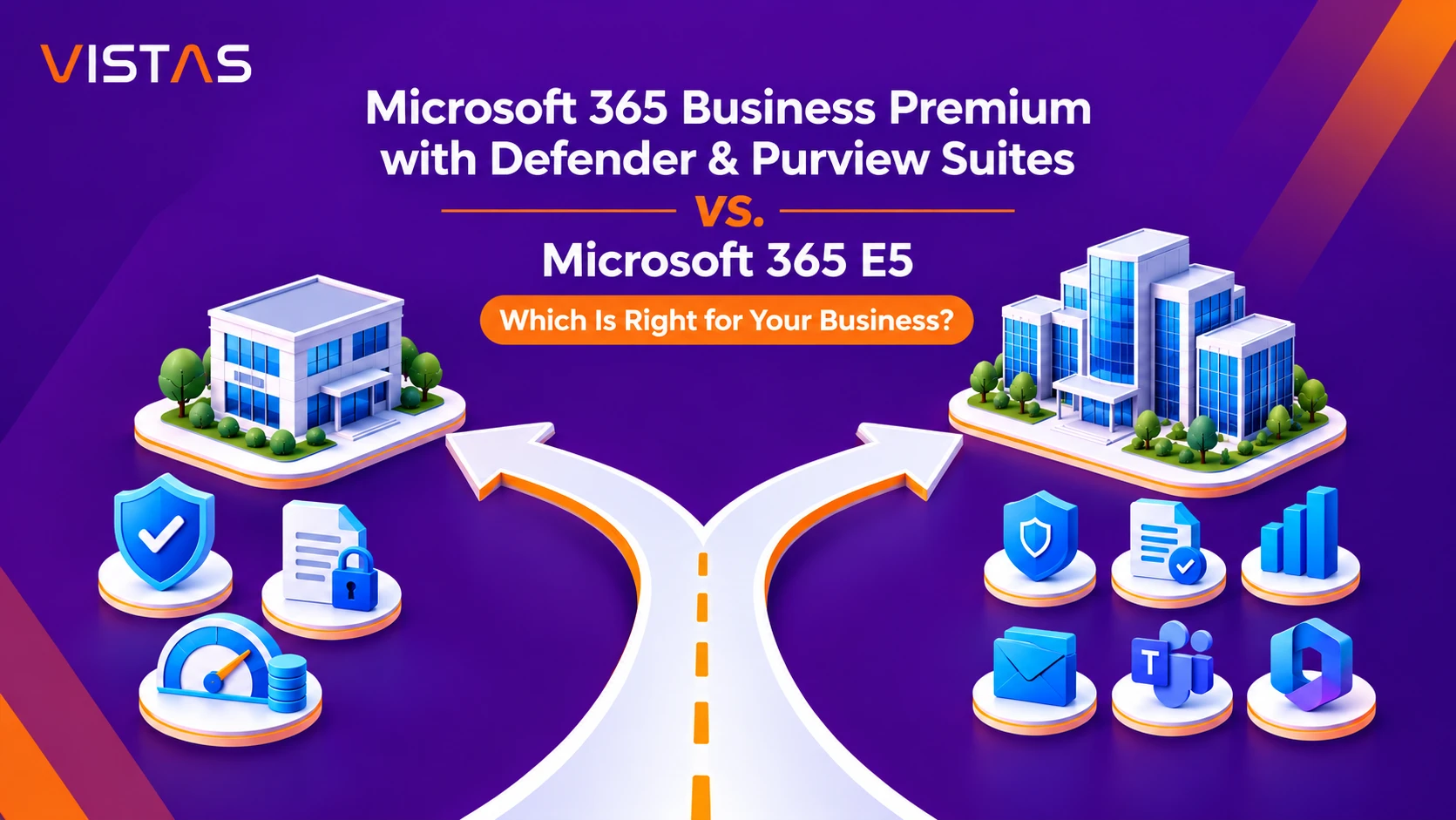
Microsoft 365 Business Premium with Defender and Purview Suites vs. Microsoft 365 E5: Which Is Right for Your Business?
When businesses think of advanced security, compliance and data protection, the first plan that comes to mind is Microsoft 365 E5. It’s a powerful package – but many organizations don’t need every E5 feature, or the extra licensing cost that comes with it.
Microsoft’s Defender and Purview Suites for Microsoft 365 Business Premium give small and midsize businesses another option. They throw in a lot of advanced security and compliance tools with Business Premium that you wouldn’t get unless you bought an enterprise license.
That leaves many businesses with a practical decision:
Do you need Microsoft 365 E5 or can Business Premium with Defender and Purview keep you protected for less?
Here is a straightforward comparison to help you decide.
What Is Microsoft 365 Business Premium?
Microsoft 365 Business Premium provides one subscription that combines productivity apps, cloud services, identity protection and device management.
It is designed for businesses with up to 300 users and includes:
- Microsoft 365 desktop applications such as Word, Excel, PowerPoint, and Outlook
- Exchange Online email with a 50 GB mailbox
- Microsoft Teams, SharePoint, and OneDrive
- Microsoft Intune Plan 1 for device management
- Microsoft Entra ID P1 for identity and access management
- Microsoft Defender for Business for endpoint protection
- Microsoft Defender for Office 365 Plan 1 for email security
- Core Microsoft Purview data protection and compliance capabilities
For many businesses, that is already a solid security foundation for users, devices, email, and company data.
This is normally evident when an organization requires more advanced competencies like identity protection based on risk, threat hunting, automation of data classification, or insider risk management.
That is where the Defender and Purview add-ons come in.
What Is Microsoft Defender Suite for Business Premium?
Microsoft Defender Suite is an add-on that extends Business Premium with advanced threat protection and identity security capabilities.
It includes several technologies available within Microsoft 365 E5.
Key Security Features
1. Microsoft Entra ID P2
Risk-based conditional access, identity protection, PIM (privileged identity management) and access reviews.
This will give the organizations the ability to be able to detect any suspicious logins and deal with any compromised credentials and give temporary rather than permanent administrative privileges.
2. Microsoft Defender for Endpoint Plan 2
Advanced Threat Hunting and Investigation and additional security analytics for Endpoint protection.
Its aim is to enable IT professionals to identify sophisticated attacks and investigate any suspect activity on managed devices.
3. Microsoft Defender for Office 365 Plan 2
Automated investigation and response, advanced threat analysis and Attack Simulation Training are included.
Phishing protection will improve along with testing and improving the level of security awareness among employees.
4. Microsoft Defender for Identity
Detects threats for supported on-premises Active Directory environments.
It will be very useful for businesses that have hybrid infrastructure and need to detect credential theft, lateral movement and identity-based attacks.
5. Microsoft Defender for Cloud Apps
It will help organizations identify potential risks with cloud applications.
The IT team will be able to identify rogue apps, investigate any suspicious cloud activities and enforce the required controls to reduce the risk of exposure of confidential organizational data.
Why Does This Matter?
While cybercriminals may be seeking large corporations as their targets, phishing, ransomware attacks, credential stuffing, and unauthorized access are dangers small companies face as much as any large company, often with limited IT resources.
Defender Suite provides improved abilities to detect, investigate and respond to such threats without the need for the company to have an E5 license.
What Is Microsoft Purview Suite for Business Premium?
Microsoft Purview Suite is an add-on that focuses on data security, information governance, and compliance.
It adds to the capabilities that are already available in Business Premium with advanced Microsoft Purview technologies.
Key Compliance and Data Protection Features
| Feature | What It Does | Business Value |
| Advanced Information Protection | Identifies and classifies sensitive data with sensitivity labels and advanced classifiers. | Helps protect confidential information consistently across the organization. |
| Advanced Data Loss Prevention | Enhances DLP controls on supported devices, Teams, email, SharePoint, and OneDrive. | Prevents unintentional or illicit distribution of confidential information. |
| Insider Risk Management | Detects possible hazardous activities of users with confidential data. | Helps security personnel investigate potential misuse of data. |
| Data Lifecycle and Records Management | Uses retention, records classification, and information lifecycle policies. | Satisfies legal, contractual, and regulatory record-keeping obligations. |
| eDiscovery (Premium) | Identifies, preserves, reviews, and manages electronic information. | Streamlines legal investigations, internal reviews, and discovery workflows. |
| Audit (Premium) | Provides enhanced auditing and longer retention for supported audit events. | Strengthens incident investigations and organizational audit trails. |
1. Advanced Information Protection
Automatically identifies and categorizes sensitive data using sensitivity labels and classification.
For example, a company can create policies to identify and safeguard its sensitive financial documents.
2. Advanced Data Loss Prevention (DLP)
This protects the data beyond the conventional security provided for emails, SharePoint site, and OneDrive.
This would allow organizations to establish policies to mitigate risks of sensitive information being copied to a USB drive, shared in a way that is against policies, or being exposed via collaboration services.
3. Microsoft Purview Insider Risk Management
Helpful in detecting any malicious behavior associated with the company’s private information.
Security experts can analyze any suspicious actions such as unusual download or data theft without violating the user’s privacy rights.
4. Advanced Data Lifecycle and Records Management
Promotes greater complexity in terms of retention, record classification, and information lifecycle management policies.
This feature would prove extremely beneficial for those enterprises which have records which they have to keep by law.
5. Microsoft Purview eDiscovery (Premium)
Assists in finding, saving, reviewing, and managing electronic information for investigations and litigation.
6. Microsoft Purview Audit (Premium)
Enables effective auditing and increased storage of audit logs for selected events.
Why Does This Matter?
More clients, regulators, and business partners are looking for ways to know how companies protect their confidential data, conduct information sharing, and maintain documentation.
The Purview Suite allows companies to set up these controls without needing all of their users to be enterprise subscribers.
Such characteristics could be applicable to businesses including healthcare firms, banks, professional service firms, and government contractors.
Microsoft 365 Business Premium + Defender and Purview vs. Microsoft 365 E5
The two licensing approaches share many advanced security and compliance capabilities. However, they are not identical.
| Feature | Business Premium + Defender & Purview Suites | Microsoft 365 E5 |
| Microsoft 365 desktop apps | Included | Included |
| Exchange Online mailbox | 50 GB | 100 GB |
| OneDrive storage | 1 TB per user | Enterprise storage entitlement |
| Microsoft Entra ID P2 | Included | Included |
| Defender for Endpoint Plan 2 | Included | Included |
| Defender for Office 365 Plan 2 | Included | Included |
| Defender for Identity | Included | Included |
| Defender for Cloud Apps | Included | Included |
| Advanced Data Loss Prevention | Included | Included |
| Advanced sensitivity labeling | Included | Included |
| Insider Risk Management | Included | Included |
| eDiscovery (Premium) | Included | Included |
| Audit (Premium) | Included | Included |
| Microsoft Security Copilot | Not included | Included for eligible customers, subject to Microsoft rollout and included capacity |
| Microsoft Intune Suite | Separate license | Included |
| Power BI Pro | Not included | Included |
| Teams Phone Standard | Separate license | Included, subject to plan and regional availability |
| Windows Enterprise entitlement | Not included | Included |
| User limit | 300 Business-plan seats | Enterprise licensing without the Business-plan 300-seat cap |
What Are the Main Differences?
1. Advanced Security and Compliance
For numerous companies, Business Premium with both offerings offers the essential advanced Defender and Purview features available in Microsoft 365 E5.
This could be the reason why this combination may prove appealing for organizations where cybersecurity and data governance are the top priorities for opting for E5.
2. Email and Storage
Microsoft 365 E5 comes with Exchange Online Plan 2 offering 100 GB of primary mailbox and enhanced archiving options.
Business Premium has 100 GB of mailbox as well, while Purview offers additional archiving and compliance options, but does not upgrade the primary mailbox to 100 GB by default.
3. Analytics
The Microsoft 365 E5 package contains Power BI Pro, which helps in business intelligence reporting and collaboration.
Business Premium with Defender and Purview Suites does not include Power BI Pro.
4. Enterprise Windows Licensing
Microsoft 365 E5 comes with Windows Enterprise rights.
The Business Premium plan has Windows Business functionality; however, the additional security and compliance packages cannot substitute the enterprise Windows rights.
5. Business Size
Microsoft 365 Business Premium caters to those organizations having no more than 300 users.
But, Microsoft 365 E5 is for large enterprises and is an exception to the seat limit of the Business version.
Cost Comparison: Is Business Premium with Both Suites More Affordable?
Price is often what puts this comparison on the table. For businesses that mainly want stronger security and compliance, adding the two suites to Business Premium can look more attractive than licensing E5 across the board.
The following example uses indicative U.S. commercial list prices from the original 2025 launch period.
| Microsoft 365 Plan | Illustrative Monthly Cost per User |
| Microsoft 365 Business Premium | $22 |
| Business Premium + Defender Suite | $32 |
| Business Premium + Purview Suite | $32 |
| Business Premium + combined Defender and Purview Suites | $37 |
| Microsoft 365 E5 | $57 |
These are reference prices from history and not proven real prices. Pricing depends on the contracts, billing schedules, geographical locations, Teams licensing, and price changes at Microsoft.
Example: A Business with 100 Users
Using these illustrative prices:
Business Premium with both suites
100 users × $37 × 12 months = $44,400 per year
Microsoft 365 E5
100 users × $57 × 12 months = $68,400 per year
Illustrative annual difference: $24,000
This translates to about 35% savings on license costs in relation to the above-mentioned E5 cost.
To businesses that require security features more than anything else, this is an important aspect.
But the above-mentioned difference needs to factor in the other license costs incurred by such things as Power BI Pro, Teams Phone, and Windows Enterprise, etc.
In summary, the least costly option is not necessarily the one with the lowest total cost.
When Should You Choose Business Premium with Defender and Purview Suites?
This combination may be the better choice when your organization:
- Has 300 or fewer Business-plan users
- Needs advanced endpoint, email, identity, and cloud security
- Requires advanced data loss prevention and information protection
- Handles sensitive customer or business information
- Requires improvements in auditing, eDiscovery, and record keeping
- Does not require all the additional enterprise services included with E5
- Purpose is to increase security and compliance without raising license costs.
As an example, a business that provides professional services and has 75 staff members would need to have phishing, automated sensitivity labeling, Endpoint DLP, and insider threat protection.
With Business Premium and both E3/E5 suites, this can be achieved without needing an E5 license for everyone.
When Is Microsoft 365 E5 the Better Choice?
Microsoft 365 E5 could be more suitable for those organizations that:
- Have more than 300 users
- Need larger Exchange Online mailboxes
- Require Power BI Pro across their workforce
- Need the Windows Enterprise entitlement
- Use Teams Phone Standard as part of their communication strategy
- Prefer an integrated enterprise licensing package
- Have broader enterprise infrastructure and licensing requirements
For these businesses, the extra E5 features may warrant the increased price for the subscription plan.
Can You Mix Microsoft 365 Business Premium and E5 Licenses?
Yes. Organizations can utilize multiple licenses for Microsoft 365 in the same tenant according to the licensing policies of Microsoft.For instance, a company could assign Business Premium with security features to its majority workforce but E5 licenses to some of its users, who require enterprise capabilities. This will allow businesses to allocate licensing expenses in accordance with their needs.
Nevertheless, certain security and compliance policies are based on the licensing of the users/workloads that they secure. Hence, it is necessary for the business organizations to fulfill these licensing requirements before implementing the policy.
How VISTAS Cloud Can Help You Choose the Right Microsoft 365 Licensing
There is much more to it than simply ticking off boxes during the process of selecting the right Microsoft 365 subscription for your organization.
It will depend on the nature of the processes that you have at present, your level of risk, regulatory requirements, and future growth prospects for your firm.
VISTAS Cloud offers comprehensive Microsoft 365 consultancy services.
Our team can help you:
- Microsoft 365 Licensing Review: Identify existing subscriptions, unused licenses and opportunities to optimize cost.
- Assess Defender and Purview requirements: Identify the advanced security and compliance features your business requires.
- Deploy Microsoft Defender: Configure identity protection, endpoint security, email protection, and cloud application controls.
- Implement Microsoft Purview: Set up sensitivity labels, DLP policies, retention, and compliance features.
- Microsoft 365 Migrations: Plan your Help with license and Microsoft 365 environment transitions.
- Lower your long term cost: Create a licensing strategy that fits the size of your organization and your business requirements.
Regardless of whether you’re thinking about Microsoft 365 E5 or upgrading to Business Premium with Defender and Purview Suites, VISTAS Cloud can assist you in choosing and implementing the correct solution.
Final Thoughts
Business Premium with Defender and Purview provides small and mid-sized businesses with a perfect middle ground: full Microsoft security and compliance capabilities without necessarily needing to move to the higher level E5 suite.
For businesses with less than 300 users, the package can meet all their requirements concerning security and data protection at an even lower cost than that of Microsoft 365 E5.
However, when it comes to organizations looking for productivity, higher mailbox sizes, and analytics along with enterprise licensing of Windows, then E5 can be an affordable option.
The correct license does not always mean that which has maximum number of features, but rather the one that fulfills your needs, safeguards your most important asset, and helps you save money on unrequired features.
Find the Right Microsoft 365 Plan with VISTAS Cloud
Not sure which one fits for your company — Microsoft 365 Business Premium with Defender and Purview suites or Microsoft 365 E5?
Call us at VISTAS Cloud to get an evaluation for Microsoft 365 licenses and security services. We will assist in comparison, possible cost reduction, and creating a Microsoft 365 ecosystem for your security and business needs.
Frequently Asked Questions
Is Microsoft 365 Business Premium with Defender and Purview Suites the same as Microsoft 365 E5?
Not necessarily, both products provide many similar features when it comes to security and compliance capabilities, however, there are some enterprise-level services included only in Microsoft 365 E5 like Power BI Pro, Windows Enterprise Licensing, and bigger Exchange Online Mailboxes.
Does Microsoft 365 Business Premium include Microsoft Defender?
Yes, the Microsoft 365 Business Premium solution offers the user access to the Microsoft Defender for Business product in addition to Microsoft Defender for Office 365 Plan 1. The new capabilities are provided via Defender Suite Add-on, which comprises of Defender for Endpoint Plan 2, Defender for Office 365 Plan 2, and Defender for Identity.
What is the difference between Microsoft Defender Suite and Microsoft Purview Suite?
Microsoft Defender Suite focuses on identity, devices, email protection from cyber threats and secure cloud apps, whereas Microsoft Purview Suite is aimed at protection of sensitive data, data loss prevention, records management, and compliance management.
Can I purchase Defender Suite without Purview Suite?
Yes. The suites can be acquired independently of each other.
Is Microsoft 365 E5 worth the additional cost?
The additional expense for the Microsoft 365 E5 package may be justified for businesses that require the enterprise productivity, analytics, telephony, Windows licensing, and security functionalities. Businesses that are solely interested in security and compliance should also consider the Business Premium with both packages.
Can VISTAS Cloud help deploy Microsoft Defender and Purview?
Yes. VISTAS Cloud is capable of helping with Microsoft 365 license assessment, Microsoft Defender deployment, Microsoft Purview deployment, and other Microsoft 365 security management practices.