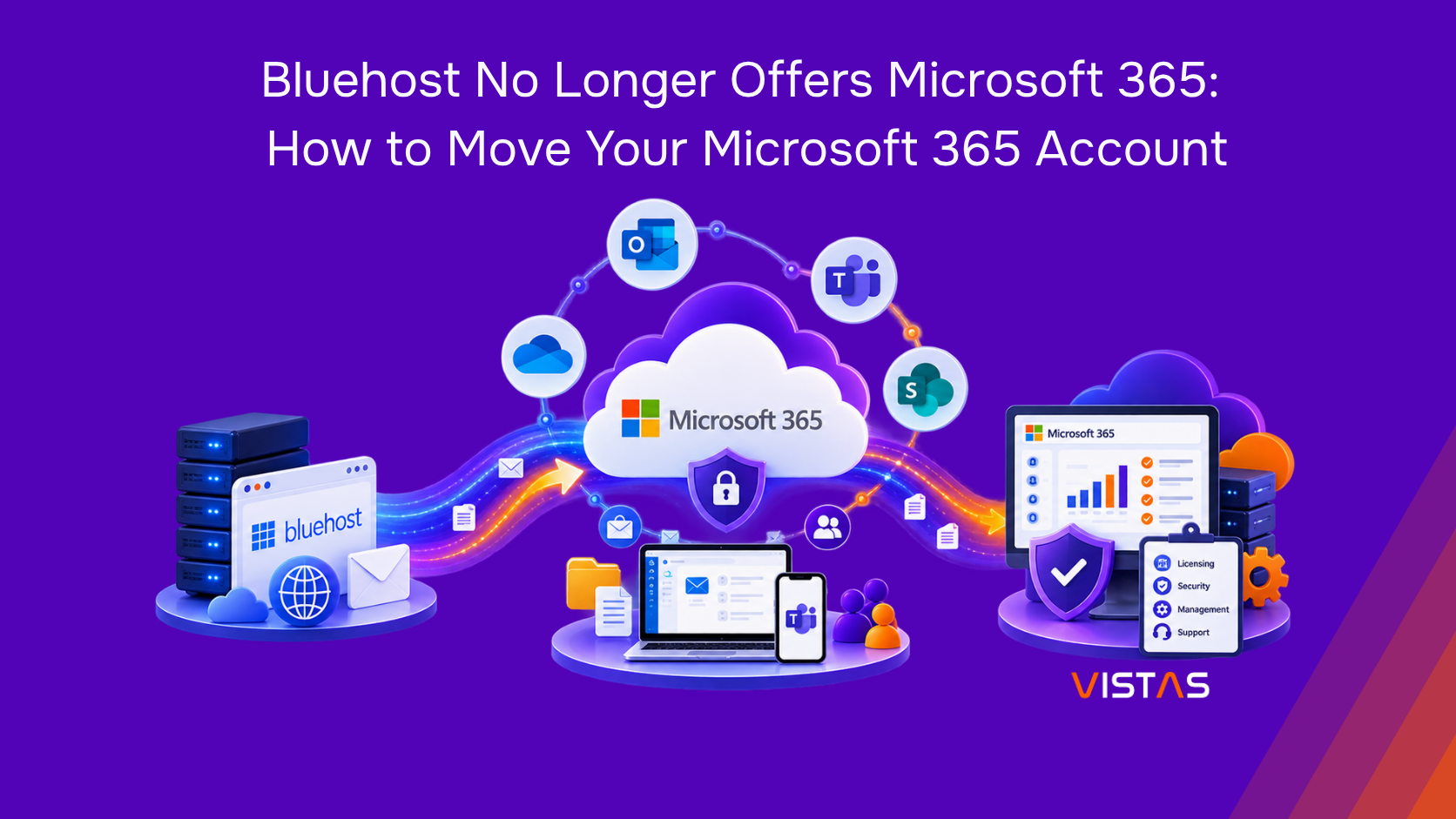
Bluehost No Longer Offers Microsoft 365: How to Move Your Microsoft 365 Account
If your business has been using Microsoft 365 through Bluehost, you may have recently received a notification about changes to your Microsoft 365 service.
For many businesses, this raises an immediate concern:
What happens to our email? Will we lose our Microsoft 365 data? Do we need to create a new Microsoft 365 account? And do we have to move our domain away from Bluehost?
The good news is that moving away from Bluehost does not necessarily mean migrating everything to a brand-new Microsoft 365 tenant.
According to Bluehost, customers affected by its Microsoft 365 discontinuation can move their licenses directly to Microsoft or to another Microsoft partner while keeping their existing Microsoft 365 tenant, email addresses, and data. In that situation, the main change is the licensing, billing, and support relationship, not the Microsoft 365 environment itself.
This distinction is important because a change in Microsoft 365 provider does not always require a full tenant-to-tenant migration.
Here’s what Bluehost’s change means for your business and what you should consider doing next.
Is Bluehost Discontinuing Microsoft 365?
Yes. Bluehost currently states that it no longer provides Microsoft 365 (formerly Office 365) services, except for existing accounts that still use the service.
Bluehost also issued a specific notice for Microsoft 365 tenants that could not be transitioned under its new reseller partnership.
According to Bluehost, these affected customers needed to move their Microsoft 365 licenses to one of three options:
- Microsoft directly
- Another Microsoft partner
- An alternative email and productivity platform
The important point is that these options do not all require the same type of migration.
If you move an existing Microsoft 365 tenant to Microsoft directly or another Microsoft partner, Bluehost states that your existing tenant, email addresses, and data can stay in place.
While, if you move to a completely different email and productivity platform, such as Google Workspace, then a traditional data migration would be required.
What Happens to Your Microsoft 365 Email?
For most businesses, this is probably the biggest concern.
If your employees have been using Microsoft 365 for years, your email address is part of your company’s identity. Changing providers does not necessarily mean changing those addresses.
For affected Bluehost customers who move their existing Microsoft 365 subscription to Microsoft directly or another Microsoft partner, the existing tenant and email addresses can remain in place.
For example, if your current email address is:
you may be able to continue using:
after moving your Microsoft 365 subscription away from Bluehost.
Your existing Microsoft 365 environment can also continue to contain services such as:
- Outlook email and mailboxes
- Contacts and calendars
- OneDrive files
- Microsoft Teams
- SharePoint
- Microsoft 365 users and groups
The exact transition process depends on your tenant and subscription setup.
One important rule: don’t simply cancel your existing Microsoft 365 service before you have a transition plan in place.
If you’re unsure about your status currently, review your Microsoft 365 Admin Center and Bluehost account or work with a Microsoft partner before making changes.
Can I Keep My Domain with Bluehost?
Yes.
Your domain registration and Microsoft 365 subscription are separate services.
Moving your Microsoft 365 subscription does not automatically require you to move your domain or website away from Bluehost. Bluehost specifically states that the domain is separate from the Microsoft 365 subscription and is not canceled because of this change.
For example, your setup could look like this:
Domain: Bluehost
Website hosting: Bluehost
Microsoft 365: Microsoft or another Microsoft partner
You can therefore continue using Bluehost for your website or domain while managing Microsoft 365 through Microsoft directly or another partner.
However, your DNS configuration is still important.
Microsoft 365 uses DNS records to verify your domain and route services such as email. Depending on your current setup, those records may need to be reviewed or updated during the transition.
This is one reason it’s important to understand your current DNS configuration before making changes.
Move Microsoft 365 From Bluehost Without Changing Your Email Address
If your existing Microsoft 365 tenant is eligible to move to Microsoft directly or another Microsoft partner, the process may be much simpler than a traditional migration.
Instead of moving every mailbox and file into a new tenant, the goal can be to keep your existing Microsoft 365 environment and change the provider relationship.
A typical transition involves several steps.
- Assess Your Existing Microsoft 365 Tenant
Before making any changes, determine:
- Who currently manages the Microsoft 365 tenant?
- Who has Global Administrator access?
- Which Microsoft 365 licenses are assigned?
- How many users and mailboxes are active?
- Where is your domain registered?
- Where is your DNS hosted?
- Are Teams and SharePoint being used?
- Are there third-party applications connected to Microsoft 365?
- What security policies and MFA configurations are currently in place?
This assessment helps determine whether you need a provider transition or a more extensive migration.
- Confirm Your Microsoft 365 Subscription Status
Not every Bluehost customer is necessarily in the same situation.
Bluehost’s discontinuation notice specifically applies to Microsoft 365 subscriptions purchased through Bluehost for tenants that could not be migrated under its new reseller partnership. Bluehost identified certain tenants, including some outside the United States, as being affected.
Before making changes, confirm whether your Microsoft 365 subscription is affected and what transition options are available to you.
- Choose Your Microsoft 365 Licensing Provider
You can purchase Microsoft 365 directly from Microsoft or work with another authorized Microsoft partner.
Going directly to Microsoft can work well for businesses that already have internal IT resources to manage licensing, users, security, administration, and troubleshooting.
A Microsoft partner can provide those services for you and can also provide ongoing technical support.
- Preserve Your Existing Tenant Where Possible
If your business is moving to Microsoft directly or another Microsoft partner, the objective should generally be to retain your existing tenant when the transition path allows it.
This can help you avoid unnecessarily:
- Creating new user accounts
- Changing email addresses
- Migrating years of email
- Rebuilding Teams
- Recreating SharePoint sites
- Moving OneDrive data
- Reconfiguring your entire Microsoft 365 environment
A tenant-to-tenant migration is a much larger project than changing your Microsoft 365 licensing or partner relationship.
- Review DNS and Mail Flow
Your domain’s DNS configuration plays an important role in Microsoft 365 email.
Before and after the transition, review relevant DNS records such as:
- MX
- TXT
- SPF
- DKIM
- DMARC
- Other Microsoft 365-related records where applicable
The goal is simple:
Your users should be able to send and receive emails normally after the transition.
- ValidateYour Microsoft 365 Services
Once the transition is complete, test the services your business relies on.
This may include:
- Outlook sign-in
- Sending and receiving emails
- Outlook mobile access
- OneDrive synchronization
- Microsoft Teams
- SharePoint
- User licenses
- MFA
- Conditional Access
- Administrative access
Don’t consider the transition finished until your critical services have been checked.
What Happens to Existing Email and Microsoft 365 Data?
If you move your existing tenant to Microsoft directly or another Microsoft partner, your existing Microsoft 365 data can remain in that tenant. Bluehost specifically states that affected customers who choose these options can keep their existing tenants, email addresses, and data.
However, if you choose to move from Microsoft 365 to a completely different platform, the process is different.
Bluehost states that moving to an alternative email and productivity solution requires exporting existing mail and files and importing them into the new platform.
Regardless of which option you choose, it is a good idea to back up important Microsoft 365 data before making major changes.
Consider protecting:
- Exchange Online mailboxes
- OneDrive files
- SharePoint content
- Teams’ data
- Contacts
- Calendars
- Business-critical documents
- Important Microsoft 365 configurations
A subscription transition is not the same thing as a backup strategy.
Before making changes, make sure you know what data your business has, where it is stored, and how it can be recovered if something goes wrong.
Bluehost → Microsoft Direct vs. Microsoft 365 Partner
Once you’ve confirmed that you need to move your Microsoft 365 subscription away from Bluehost, you generally have two options: move directly to Microsoft or work with a Microsoft 365 partner.
Move Directly to Microsoft
You can purchase Microsoft 365 directly from Microsoft and manage the environment internally.
This may be a good fit for businesses that already have an IT team with the experience and resources to manage Microsoft 365 licensing, users, security, administration, and troubleshooting.
Work With a Microsoft 365 Partner
A Microsoft 365 partner can help manage your licensing while also providing technical expertise and ongoing support.
This can be particularly valuable for small and mid-sized businesses that don’t have a dedicated Microsoft 365 administrator.
Instead of handling every licensing, configuration, security, or troubleshooting issue internally, you have a partner who can help manage and support your Microsoft 365 environment.
The right choice ultimately depends on your organization’s internal resources, technical requirements, and how much ongoing support you need.
If you’re considering moving your Microsoft 365 subscription away from Bluehost but aren’t sure which option is right for your business, a Microsoft 365 partner can help you assess your current environment and determine the best path forward.
Turn a Provider Change into a Microsoft 365 Health Check
A provider change isn’t something most businesses plan for.
But once you’re already reviewing your Microsoft 365 environment, it can be a good opportunity to identify areas that may have been overlooked.
For example:
Licensing:
Are you paying for licenses your employees really need?
Security:
Is MFA enabled? Are administrative accounts properly protected?
Email protection:
Are SPF, DKIM, and DMARC configured correctly?
Access management:
Do former employees still have access to company resources?
Device management:
Would Microsoft Intune help you manage company devices?
Data protection:
Do you have a reliable backup and recovery strategy for Microsoft 365?
Support:
Who will help when something goes wrong with Microsoft 365?
A provider transition can therefore be more than a billing change. It can be an opportunity to make your Microsoft 365 environment more secure, organized, and better aligned with your business.
How VISTAS Cloud Can Help with Your Bluehost Microsoft 365 Transition
If your organization currently uses Microsoft 365 through Bluehost, you don’t have to figure out the transition on your own.
VISTAS Cloud can help assess your existing Microsoft 365 environment and determine the right path forward.
Our team can assist with:
Microsoft 365 Tenant Assessment
We can review your existing tenant, users, licenses, domains, configurations, and dependencies before changes are made.
Microsoft 365 Licensing
We can help identify the Microsoft 365 licenses that fit your organization’s needs and help you avoid paying for unnecessary licenses.
Microsoft 365 Partner Transition
If you decide to work with a Microsoft partner, we can help coordinate the transition while keeping your existing Microsoft 365 environment in focus.
DNS and Domain Verification
We can review your DNS configuration and help ensure your domain remains properly connected to Microsoft 365.
Email and Mail Flow Validation
After the transition, we can test sending and receiving to make sure your business email continues working properly.
Backup and Data Protection
We can review your Microsoft 365 data protection strategy and identify important workloads that should be included in your backup and recovery plan.
Security Review
We can assess MFA, administrative access, Conditional Access, Microsoft Defender, and other security controls to help strengthen your environment.
Ongoing Microsoft 365 Support
After the transition, VISTAS Cloud can continue supporting your Microsoft 365 environment with administration, troubleshooting, licensing, security, and ongoing optimization.
You Don’t Necessarily Have to Start Over
If your business has been using Microsoft 365 through Bluehost, the most important thing is not to assume that you need a brand-new Microsoft 365 environment.
Depending on your situation, you may be able to keep your existing:
- Microsoft 365 tenant
- Email addresses
- Mailboxes
- OneDrive and SharePoint data
- Teams’ environment
- Domain
While changing the company responsible for your Microsoft 365 licensing and support.
The right approach depends on your current tenant, subscription, and transition status.
If you’re unsure what Bluehost’s Microsoft 365 changes mean for your business, VISTAS Cloud can help you assess your environment and determine the best path forward.
Need help moving Microsoft 365 from Bluehost?
Contact VISTAS Cloud to discuss your Microsoft 365 environment and get help planning your transition today!
FAQs
Is Bluehost discontinuing Microsoft 365?
Yes. Bluehost no longer provides Microsoft 365 services, and affected tenants that could not transition under its new reseller partnership were required to move their subscriptions to Microsoft directly, another Microsoft partner, or an alternative platform.
What happens to my Microsoft 365 account if Bluehost stops providing the service?
If your Bluehost Microsoft 365 subscription is affected, you need to establish your subscription with Microsoft directly, another Microsoft partner, or an alternative provider. Moving to Microsoft directly or another Microsoft partner can allow your existing tenant, email addresses, and data to remain in place.
Can I keep my Microsoft 365 email address after leaving Bluehost?
Yes. If you move your existing Microsoft 365 tenant to Microsoft directly or another Microsoft partner, your existing email addresses can remain unchanged.
Do I need to create a new Microsoft 365 tenant when moving from Bluehost?
Not necessarily. If you move your existing subscription to Microsoft directly or another Microsoft partner, your current Microsoft 365 tenant can remain in place, so a new tenant may not be required.
Can I keep my domain with Bluehost after moving Microsoft 365?
Yes. Your domain is separate from your Microsoft 365 subscription, so you can keep your domain registered with Bluehost while moving your Microsoft 365 subscription to Microsoft or another partner.
Will I lose my Microsoft 365 emails and data when moving from Bluehost?
If you move your existing tenant to Microsoft directly or another Microsoft partner, your email and Microsoft 365 data can remain in place; however, if you move to an alternative platform, your mail and files will need to be exported and migrated.
How do I move Microsoft 365 from Bluehost to Microsoft directly?
You can move your Microsoft 365 subscription directly to Microsoft by following the transition process through the Microsoft 365 Admin Center and establishing a direct Microsoft subscription. Before making changes, back up your important data and verify your email and user access after the transition.
Can I move my Microsoft 365 subscription from Bluehost to another Microsoft partner?
Yes. You can establish a relationship with another Microsoft-certified partner to manage your Microsoft 365 subscription, while your existing tenant, email addresses, and data can remain in place.
What DNS records need to be checked when moving Microsoft 365 from Bluehost?
Review your Microsoft 365-related DNS records, particularly MX, TXT, SPF, DKIM, and DMARC, to help ensure your domain verification; email delivery, and email security continue working correctly after the transition.
Should I back up my Microsoft 365 data before leaving Bluehost?
Yes. Bluehost recommends backing up important Microsoft 365 data, including email, OneDrive, SharePoint files, contacts, and calendars, before making the transition.